Copilot Chat usage limits in Microsoft 365: the cap nobody published
Microsoft is applying fair use limits to Copilot Chat without a Copilot license, with no public number. What the notice says and what to do.
Copilot Chat usage limits are a fair use cap Microsoft announced on November 3, 2026 for people who use Copilot Chat without a Microsoft 365 Copilot license. The notice publishes no number, the cap can change during the day, and not even your organization's admin can see or adjust it.
What the notice says about Copilot Chat usage limits
Microsoft posted a Message Center notice titled "Limits in Copilot Chat" (MC1536158). It explains that the Copilot Chat already included in Microsoft 365 will have fair use limits for users without a Microsoft 365 Copilot license.
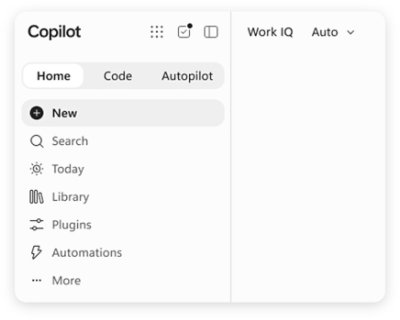
The point is not that a limit exists, but how it is set up:
- No number is published. The notice doesn't say how many messages or how much use you get.
- It changes during the day. The cap is not a fixed amount you can work out once.
- It tells you how long to wait. When you hit the limit, Copilot Chat tells you how long to wait, and it won't cut off a reply already in progress.
- Microsoft sets it. Admins can't see the limit or adjust it.
A limit nobody publishes is hard to plan around. That's why this post sticks to what is known and doesn't invent numbers.
Who it applies to

It applies to users without a Microsoft 365 Copilot license, on work accounts, across web, desktop and mobile. This is the Copilot Chat included in the business subscription, not the consumer version.
When it reaches your organization depends on the rollout. According to ITdaily (November 6, 2026), the rollout is staggered: it started November 2 for organizations with up to 2,000 licenses and November 9 for larger ones. That timing is reported by the press, not by Microsoft's notice.
How to apply it in your business?
If your team uses Copilot Chat for daily work, there is no point guessing the limit. The most useful move is a simple log:
- Write down when it stops you. The time, the task and the message Copilot Chat shows.
- Take it to your admin. Even if they can't adjust the limit, a log with times and cases helps them decide whether Microsoft 365 Copilot licenses are worth requesting.
- Don't rely on Copilot Chat for deadline work. If the cap changes during the day, a critical task shouldn't depend on it.
For another example of caps that are set from the admin side, read the full breakdown of per-person spend caps in Claude Code.
Frequently asked questions
How many messages can I send in Copilot Chat?
Microsoft's notice publishes no number, so there is no official figure to go by.
Can my admin change the limit?
No. Admins can't see or adjust Copilot Chat limits: Microsoft sets them.
What happens when I reach the limit?
Copilot Chat tells you how long to wait and won't cut off a reply already in progress.
Does it apply if I have a Microsoft 365 Copilot license?
The notice is about users without a Microsoft 365 Copilot license on work accounts.
Conclusion
Copilot Chat usage limits are now part of the Copilot Chat included in Microsoft 365 for anyone without a Copilot license. With no public number, the best defense is to log when it stops you and share that with whoever manages your Microsoft. Save this post for when Copilot Chat tells you to wait.